Using GoldPriceOne on macOS?
Take a look at the manual!
Quite detailed documentation for the Mac version of our gold price info app.
GoldPriceOne manualHow to use the macOS app.
1 - Installation & requirements
Chapter 1 System Requirements and installation
GoldPriceOne system requirements and installation
System requirements
To use GoldPriceOne you need a Mac with Apple Silicon (M1, M2, M3, M4 and so on). The minimum operating system version is 15 (macOS Sequoia). GoldPriceOne should run even on the smallest configuration (i.e. 8 GB RAM, 256 GB storage) without any problems as the app itself is less than 5 MB of size.
A working internet connection is mandatory to receive gold price updates and alerts.
Installing on macOS
You can install GoldPriceOne via the Apple Mac App Store only. The application will be placed within your applications directory automatically.
To start the app double click the icon and allow GoldPriceOne to use notifications.


2 - Setting up GoldPriceOne
Chapter 2 Settings + preferences

Setup, upgrade and rate GoldPriceOne.
GoldPriceOne settings inside and outside the app
There are only a few adjustments that can be made within the GoldPriceOne app. Other settings like allowing notifications need to be made in the macOS system settings.
Settings on macOS (outside the app)
To receive gold price alerts you need to allow GoldPriceOne to use the system's notification center. On it's first start the app will ask you to allow notifications. If you missed the dialog for any reason or want to stop notifications you can do it within the System settings › notifications › GoldPriceOne.
Settings done inside GoldPriceOne
The adjustments that can be made in the GoldPriceOne settings control the app's behavior. Those settings are the update interval, start on login and wether the menubar item will be shown or not. The settings dialog can be opened via the 'Preferences' menu item or the system-wide keyboard shortcut (cmd-comma). It has has three tabs: general, store and rate.
General tab
Here are some settings that can be made to control GoldPriceOne behavior. Those settings are the update interval, behavior on login and wether the menubar item will be shown or not.
The update interval sets the time between two automatically triggered gold price refreshes. The free version allows you to choose between 30 minutes, 1 hour, 2 hours, 4 hours and manual. If you set the update interval to manual the price will not update until you refresh the app manually. Additionally no alerts will be triggered or shown.
As a subscriber to GoldPriceOne PLUS two shorter update intervals – 15 and 5 minutes can be selected, too.
You can set the app to be started at login automatically by checking the 'Launch at login' checkmark. In case you don't like the app to show up in your menubar you are able to switch it off by removing the appropriate checkmark.
The two links at the bottom of the General tab will take you to our privacy policy and the End User License Agreement (EULA).
Store tab
To upgrade GoldPriceOne to the GoldPriceOne PLUS – our subscription ans one-time purchase – you simply need to click one of the two subscription or purchase buttons. This is a secure an convenient way to subscribe on a monthly or annual basis or buy the lifetime license through the Mac App Store. The 'buy once, use forever' license is available from version 1.3 onwards.
Rate tab
If you like GoldPriceOne, we would be very happy about a Mac App Store rating or a review. This is the one and only purpose of this tab.
3 - Gold price view
Chapter 3 using the gold price view

GoldPriceOne has clean and distraction free main window.
Starting and using GoldPriceOne main view
Once started the app will fetch the current spot market price automatically. This will usually be the price in US Dollars per troy ounce, as it's the standard currency used by the spot market.
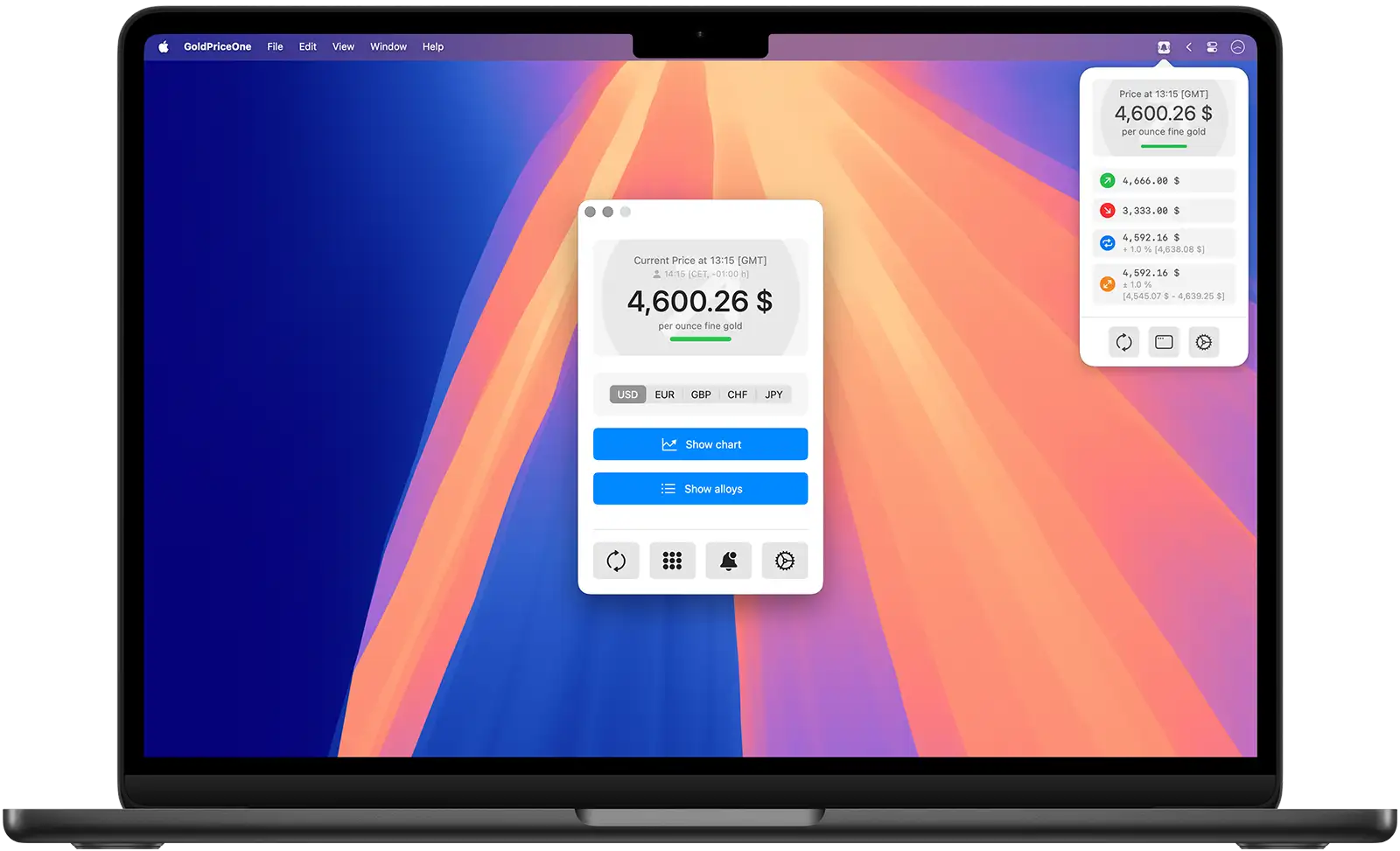
The main view is split into three sections roughly. On top the current price for one troy ounce of gold will be shown. Below the price there is the currency selector followed by the chart view and the alloys overview buttons. Usually those are both collapsed on your first start.
The GoldPriceOne app connects to our API server at startup and whenever the price needs to be updated automatically or – when set by you – manually.
Bottom buttons
At the bottom of the main view there are four buttons. The left button refreshes the price manually, the '3 by 3 circles grid' next to it opens the gold assets calculator. The 'bell icon' opens the gold alerts list, allowing you to setup and manage your gold price alerts.
Finally the 'gear icon' on the far right opens the preferences dialog of GoldPriceOne.
GoldPriceOne main view features explained
Current price
This section shows the current gold price per troy ounce of fine gold (999.9/24 carat). There are two visual indicators that show the change in price since the last price update. The lower bar is either green, red or gray showing whether the price has risen, fallen or didn't change. In the background of the price view an arrow indicates the same information in a different way. Pointing down means fallen, pointing up means that the price went up and the arrow pointing to the right means the price did not change.
The two lines above the current gold price give you the information at what time the price was updated. The first line shows the London Spot Market timezone (GMT), while the second line shows your local time, timezone and the time difference between you and London. If the London markets are closed a little padlock icon will appear at the end of the line.
Currency switch
The currency switch can be used to change the currency for the current gold price displayed and the overview of alloys. Changing the currency refreshes the gold price if necessary. It also switches the currency used for alerts and the currency used within the gold price calculator.
Charts view
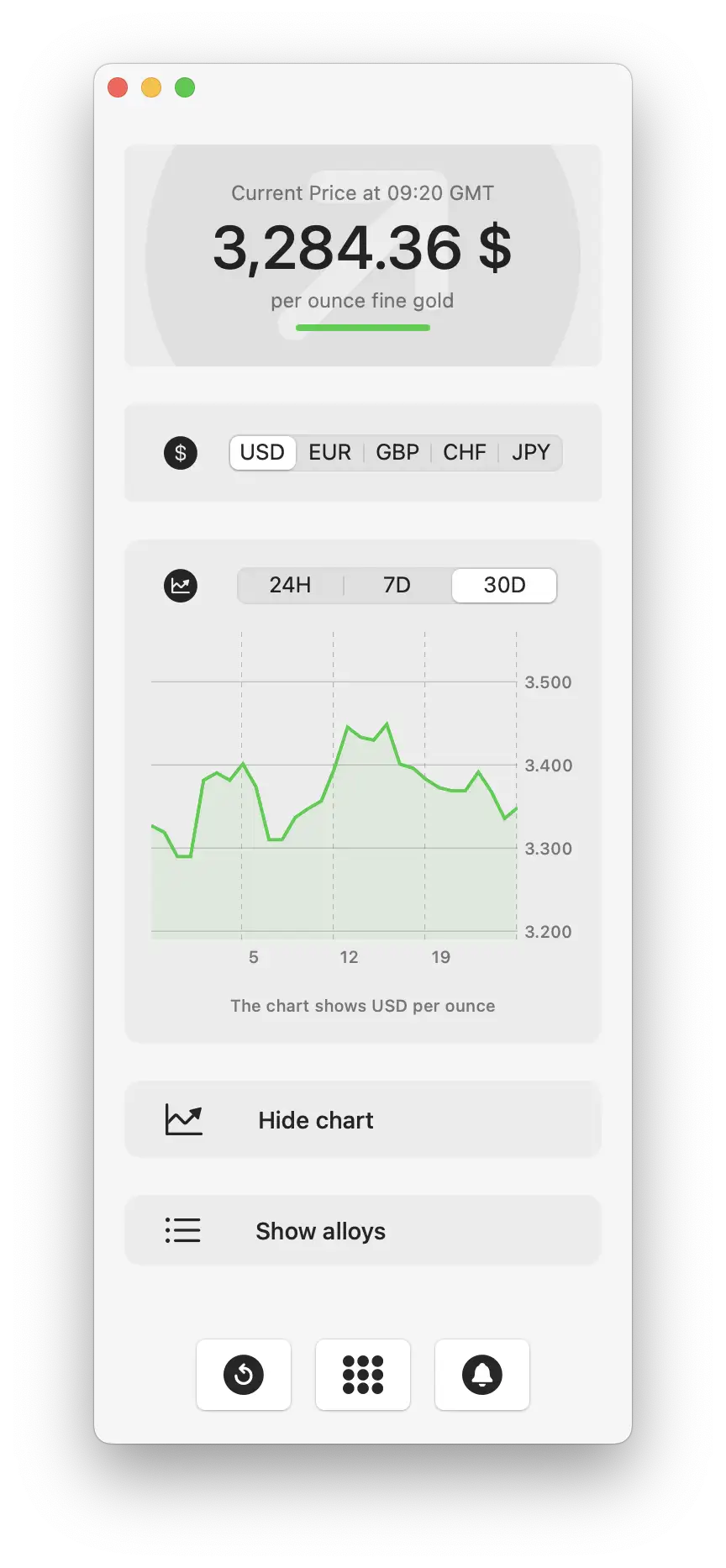
To take a look on the development of the price of gold over time just click the show charts button on the main screen. The charts view slides down and offers actual and historical gold price data of the last 24 hours, 7 days, 1 month, 3 months, 6 months, 1 year and year-to-date.
The charts view feature is only available for GoldPriceOne PLUS subscribers or buyers. The button is deactivated in the free version of the app.
Alloys overview
To open the gold alloys overview simply click onto the button. The list of alloys provides an overview of the most common gold alloys used for jewelry and coins, for example. Prices are shown for 1 ounce or 1 gram in the currency you chose.
4 - Gold Price Chart View
Chapter 4 gold price charts
Take a look back in time. Historical gold price charts.
Gold price charts visualized nicely
The current gold price is important if you buy, sell, hold or trade with physical gold. Getting some insights on how the price of gold developed over time is also an interesting information. GoldPriceOne allows you to take a look back in time with the historical gold price charts.
Chart view is a feature only available for GoldPriceOne PLUS users.
Time period
The chart view offers you several time periods to choose from. You can switch between 24 hours, 7 days, 1 month, 3 months, 6 months, Year-to-date and 1 year time frame.
On switching the time period the chart graphics changes, showing you the gold prices of the selected time period. Additionally a gold price trend line for the chosen range is shown, so are the highest and lowest price, as well as the price deviation.
The chart itself
The chart shows you the current and historical gold price data as - you might guess it - a graphic. There are two indicators on the chart line. A red circle for the lowest price and a green circle representing the highest price of the selected time frame.
Trend line
The dashed line connecting the two gray dots is the gold price trend line. It shows you the direction of the gold price within the selected time period up to the current price.
Highest/Lowest
Below the chart graphic you see the lowest (red box) an the highest (green box) price of the chosen time period. The price is always shown in US Dollars per ounce, as it is the standard currency/weight combination gold is traded in.
Price deviation
Next to the highest price you'll find the gold price deviation. It shows the percentage price deviation of the selected time frame. The color of the box also indicates if the gold price has fallen (darker red), risen (darker green) or didn't move (gray).
Markets closed underlay
If the London market is closed an underlay showing a padlock icon will be shown. Usually this will happen on Saturdays, Sundays and bank holidays in the United Kingdom. Nevertheless the app will update the chart data continuously.
A little side note: We are providing the historical data via our own API. Our server is collecting gold prices continuously. As soon as we have collected enough data we'll add more - in this case older - gold price data, i.e. 2 years.
5 - Gold Alloys Price Overview
Chapter 5 gold alloys overview

Get a quick overview on the value of a gram or an ounce of gold and it's alloys.
Gold alloys values at a glance
When buying or selling gold as coins or jewelry, a look at the most common gold alloys is quite practical. Especially if you have inherited gold jewelry or coins, for example, and are considering selling them.
Weight selector
The weight selector allows you to choose the unit the values of the listed gold alloys are shown in. You can switch between troy ounces (ounces) and grams - the most common weight units for gold.
This way you can always see how much an ounce of 10 carat gold or a gram of 21 carat gold is worth at any given moment. The currency displayed is the same as the one the price of an ounce of fine gold is shown in. You can change the currency at any time using the currency switch.
Karats and prices
The alloys list shows you various karats (purities) and how much a gram or an ounce of this alloy is worth right now in the selected currency and weight unit.
The gold alloys are listed from the most valuable (24 karat, purity 999.9/1000) to the least valuable (8 karat, purity 333/1000). Gold bars are usually 24 Kt (fine gold) while common jewelry normally consist of 14 Kt or 18 Kt gold. Gold coins, on the other hand, are usually made of 23 Kt or 22 Kt alloys. Depending on their origin and age.
Exact values of your gold assets
If you want to go into more detail, with specific weights and alloys, then the gold price calculator or – assets calculator as a professional would call it – is the tool of choice.
6 - Gold Assets Calculator
Chapter 6 gold assets calculator

The assets calculator allows you to quickly check the value of your physical gold and jewelry.
Precisely calculate your gold assets values
With the GoldPriceOne assets calculator it is possible to get a quick overview of the value of different alloys for any weight. Simply enter the weight, select the unit and currency and the values for different alloys are displayed directly.
This function is useful if, for example, physical gold is to be bought, sold or valued as jewelry. The currency (USD, EUR, GPB, CHF, JPY) and the weight unit (ounce/gram) can be adjusted at any time.
Enter weight, get value
To get the exact value of your precious metal, simply enter the weight. The current value is displayed in the gold alloys list above immediately.
Changing the weight unit changes re-calculates the displayed values to ounces or grams, but it doesn't change the amount you entered. Switching from one currency to another also re-calculates the values shown in the alloys list above.
Calculate the spread discounts and surcharges
If you are a GoldPriceOne PLUS user the gold assets calculator offers a discount/surcharge calculator - or spread calculator. It's pretty easy to use: Simply fill in the amount of gold you like to buy or sell and slide the slider to the left for discounts or to the right for surcharges.
Whilst you are using the slider the gold assets values are re-calculated immediately. The upper line is the price based on the spread you set, while the lower line still shows the current price of this alloy.
The percentage value shown on the right hand of the slider changes it's color from turquoise green (really a very good price) to green (very good price) to yellowish green (good price) to yellow (okay-ish price) to orange (bad price) to finally red (really bad price). If the percentage value is 0 % the background color is gray.
Below the slider you can set whether you are going to buy or sell gold. Changing this setting changes the direction of the colors that indicate a good or a bad price. In other words, this for example means, while a discount of -30 % when buying is shown in green (indicating a very good price), the same -30 % is shown in orange when selling, because it's a bad price for you.
Tapping the percentage value
If you tap the percentage value once it rises the spread by 10 %, tapping twice decreases the percentage value by -10 %. Tap and hold resets the percentage to 0 % (no discount/surcharge color changes to gray). The prices shown for each alloy's value will update immediately.
Identifying the gold purity
Most pieces of jewelry have a hallmark that indicates the type of gold alloy used to produce it. It's either karats (i.e. 14 Kt) or parts per thousands (i.e. 585 or 0585). Please be careful if you see both hallmarks on a single piece of golden jewelry. It's not common both are listed. Pieces with two hallmarks are suspicious and should be inspected closer.
Coins usually have no hallmarks and are not made from pure gold. Coins are made from 23 kt or 22 kt alloys usually. The weight stamped onto the coin (i.e. 1/4 ounce) is the proportion of fine gold (24 kt) – not the actual weight of the coin. A coin with a stamped weight of one ounce (31.1 grams) should be heavier, than the given weight.
7 - GoldPriceOne Alert Management
Chapter 7 gold price alerts

GoldPriceOne has an easy to use gold price alerts management.
GoldPriceOne price alert management
Our app offers an easy to use alerts management for gold prices. Alerts are set with only a few clicks and you can choose from different types of alerts. The free version has a limit of five alerts and two alert types.
As a subscriber to GoldPriceOne PLUS you have four types of alerts and an unlimited number of alerts you are able to set.
Alerts are displayed via macOS notification center and behave as defined in the system settings.
Gold price alerts list
Once the alerts view is selected it will show you a list of all your set gold price alerts (if any). Already triggered alerts disappear from the list automatically. It is not possible to set two identical alarms, e.g., with the same price limit and of the same type - just because it wouldn't make sense.
Setting a gold price alert
To set an alert simply click the the 'bell icon' to enter the alerts view. Adding a new alert starts by clicking the 'new alert' button at the bottom of the pane. A second pane appears that allows you to create a new alert. Select the type of alert you would like to set and enter the alert price either by entering the value (above/below alerts) or using the slider (moving/tunnel alerts). To activate the alert click the 'create alert' button.
Above alerts
The above alert represents the take profit signal. If the gold price exceeds the given value, an alert is triggered.

Below alerts
This type of alert is also known as stop loss signal. In case the gold price drops below this value an alert will be send.

Moving alerts
A moving alarm is triggered when the price reaches a threshold, after which the alarm is automatically renewed with the same specifications - direction and percentage but the new price.
Moving alerts are not deleted automatically.

Tunnel alerts
This alert is triggered when the gold price exceeds or falls below a specified percentage corridor of the current gold price.
Tunnel alerts are one-off alerts and are automatically removed from the list once they were triggered.

Deleting an alert
An alert is deleted by tapping the trash can icon next to it. It's deleted immediately, the app won't ask you if you are sure you really like to delete the alert. It simply deletes it from the list.
8 - macOS Menubar Item and Widget
Chapter 8 menubar item and the widget

The GoldPriceOne menubar item shows the most important informations.
The Gold price in your menubar
GoldPriceOne for macOS has a menubar item that allows you to keep track of your alerts, the current gold price and it enables you to control the app.
Everything you need to know
The menubar item gives you a quick overview of the current price of an troy ounce of fine gold. It uses the same currency you chose in the main window. It also allows you to take a look at your gold alerts list already set.
Three buttons in a row
The left button enables you to update the price manually. In addition, the main window can be opened (center button) to set new alerts, to use the gold price calculator or take a look at the value of gold alloys. You can also open the GoldPriceOne settings/preferences (right button) to end the background mode, for example.
The GoldPriceOne app can run in the background - without an open main window, but you can control it through the menubar item. By default the menubar item is active, but you can disable it within the GoldPriceOne preferences.
A simple widget showing the most important information
Just in case you don't like to clutter up your menubar with a lot of items, but like to see important informations directly on your desktop: GoldPriceOne for macOS has a widget, too.
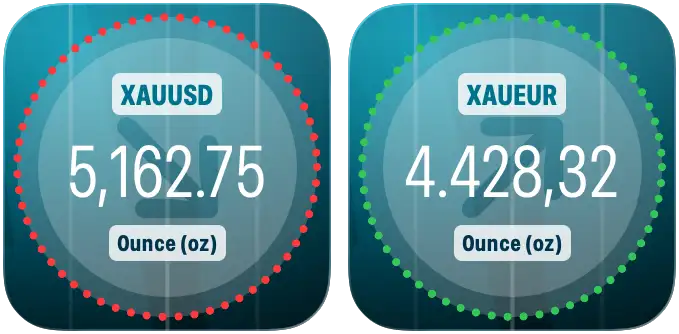
The GoldPriceOne widget either lives in your notification center or sits on your desktop, showing the current gold price in your chosen currency and also the direction the price moved (up/down/not at all).
9 - Upgrading to GoldPriceOne PLUS
Chapter 9 GoldPriceOne PLUS
GoldPriceOne PLUS. A lot of useful features and enhancement to the free tier.
Upgrading the app to GoldPriceOne PLUS
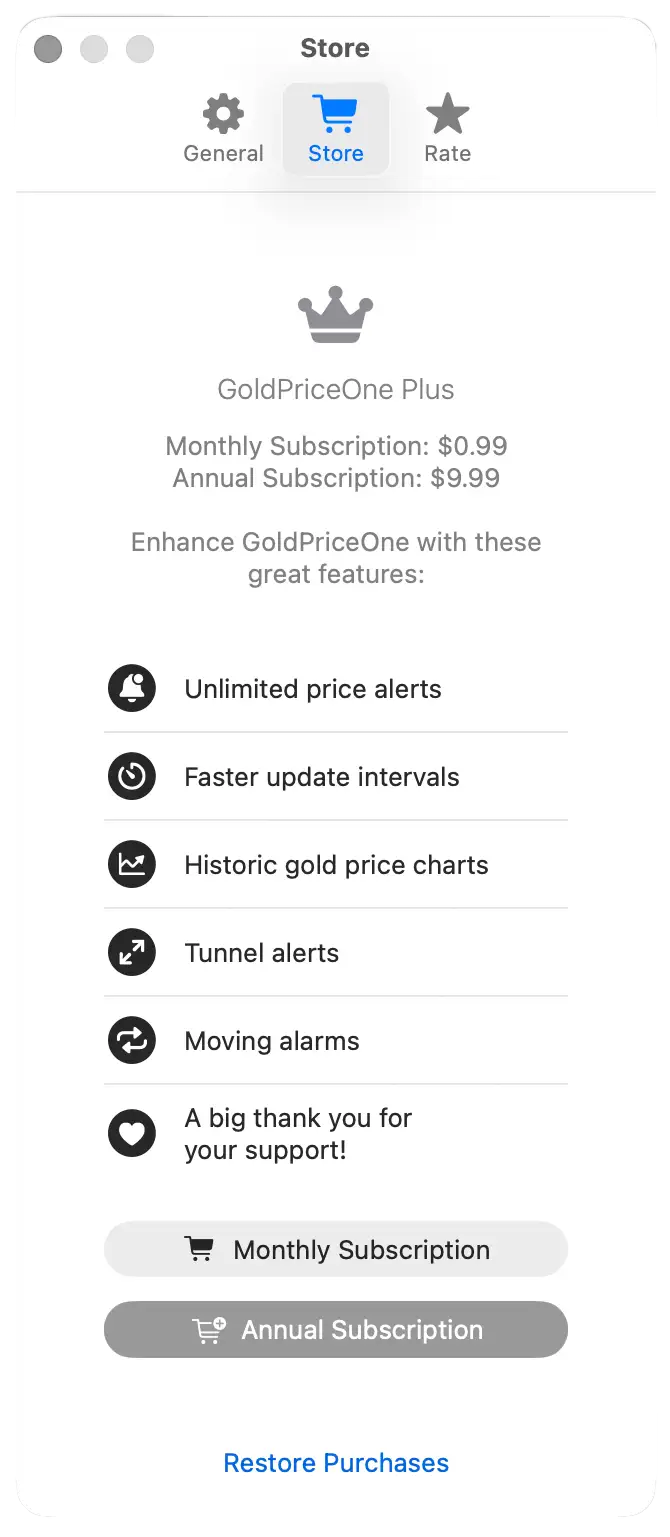
You can upgrade to GoldPriceOne PLUS by simply using the in-app purchase or subscription within the settings. The GoldPriceOne PLUS subscription is offered with monthly and annual pricings. If you don't like subsciptions you can also purchase a lifetime license.
Upgrading GoldPriceOne gives you access to additional features for a reasonable subscription price of USD 0.99 (monthly billing) or USD 9.99 (yearly billing, 20 % discount). The one-time purchase is USD 19.99 for the buy once, use for ever lifetime license (available in version 1.3+).
- Moving alerts (auto-renewing alert)
- Tunnel alerts (price corridor alert)
- Gold price charts for 24 hours, 7 days, 1 month, 3 and 6 months, year-to-date, 1 year
- Unlimited gold price alerts
- Shorter refresh intervals (5 and 15 minutes)
- All future feature enhancements
- Annual subscription gives you an additional 20 % discount
- Developers love for supporting our work
Not installed GoldPriceOne yet?
If you didn't install GoldPriceOne already: The app is available on Apples Mac App Store only. Simply download it and give it a try.
Those are US store prices. Prices in your country may vary due to tax regulations and exchange rates.